Your audience answers.
Your data stays.
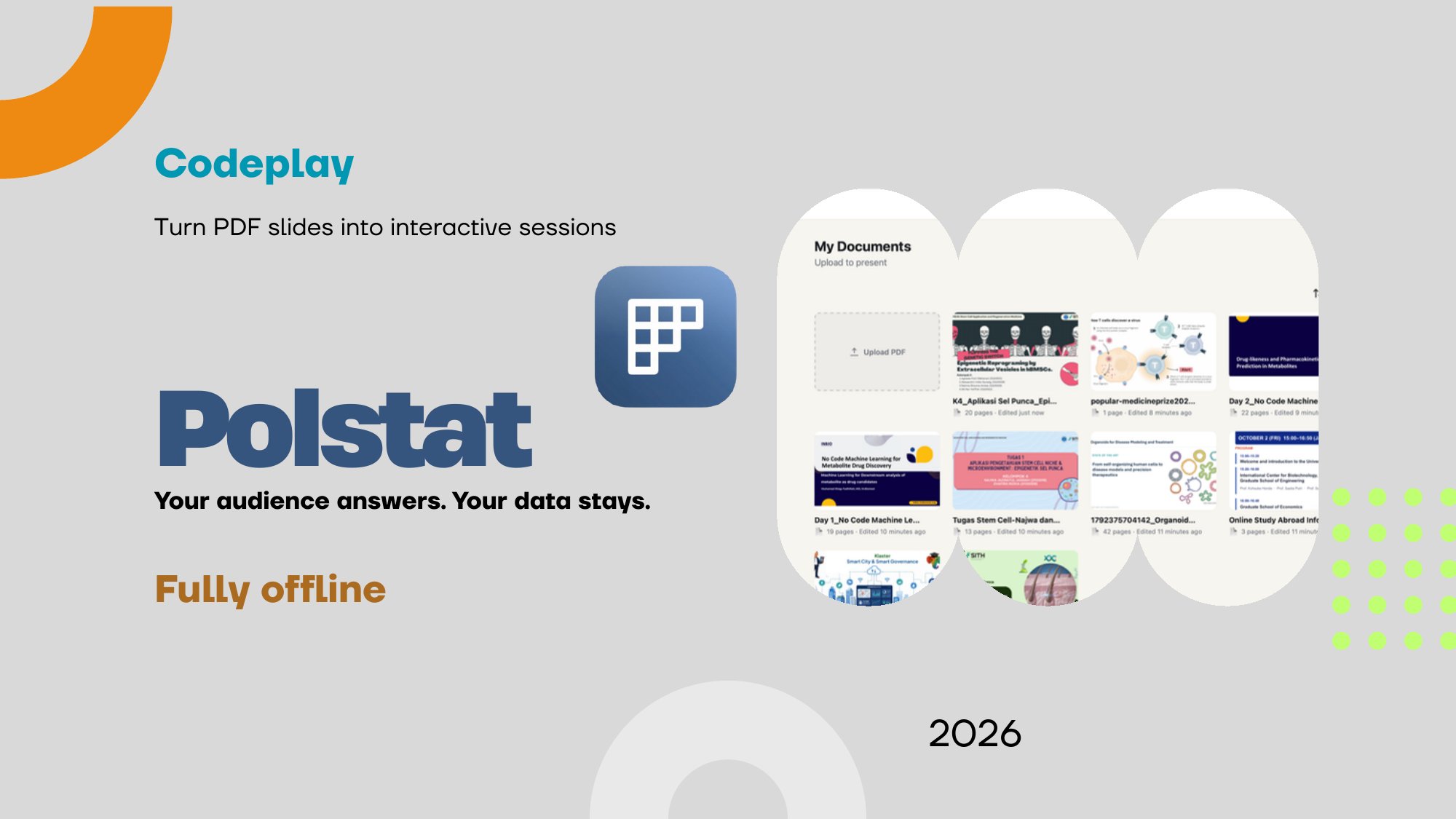
Turn your PDF slides into interactive sessions. A desktop app that works fully offline, with no need to rebuild your presentation.
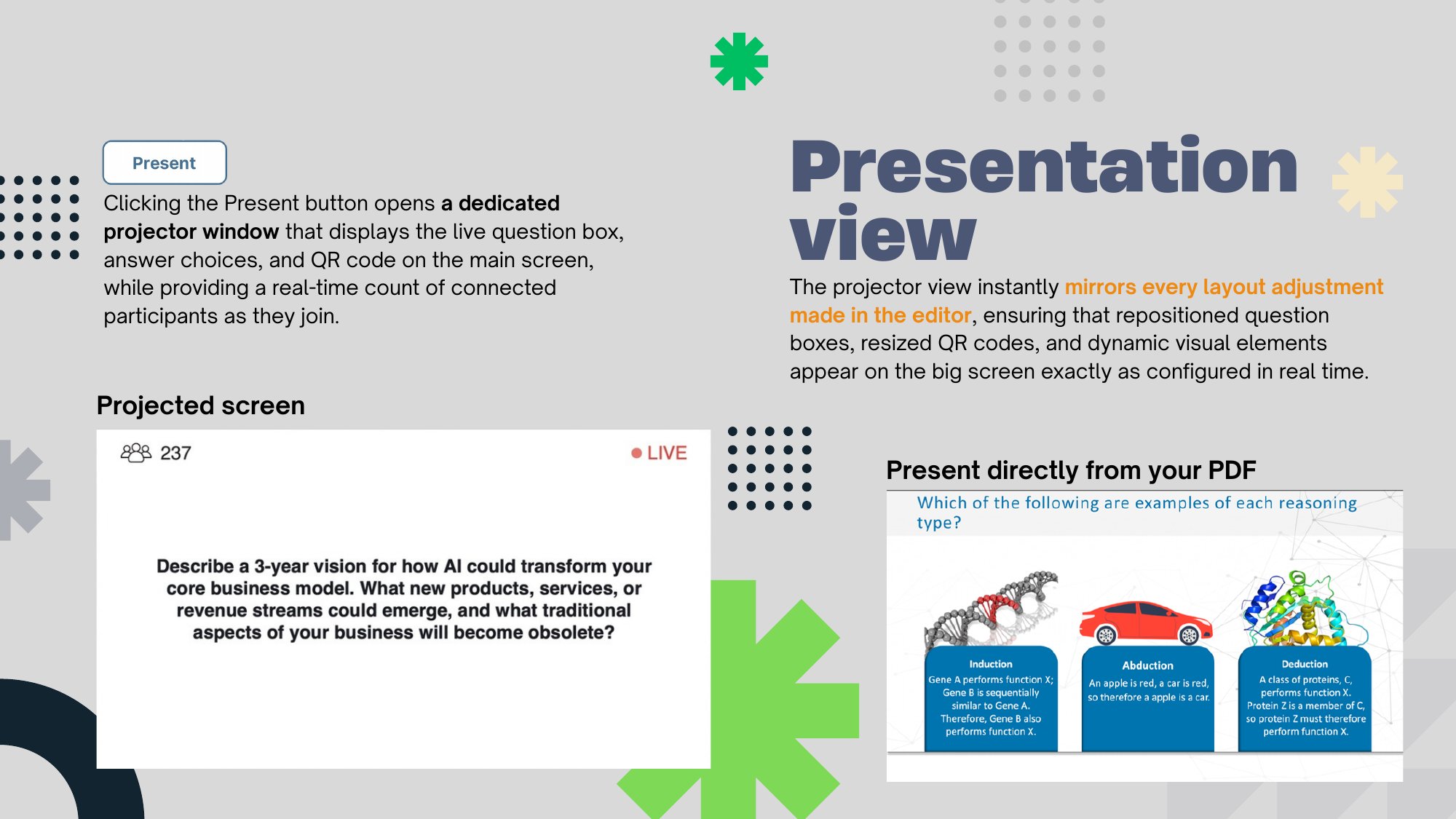
The whole room.
No internet needed.
Participants join over your local Wi-Fi or a hotspot. No accounts, no cloud. PDFs, votes, notes, and participant data stay on your computer.
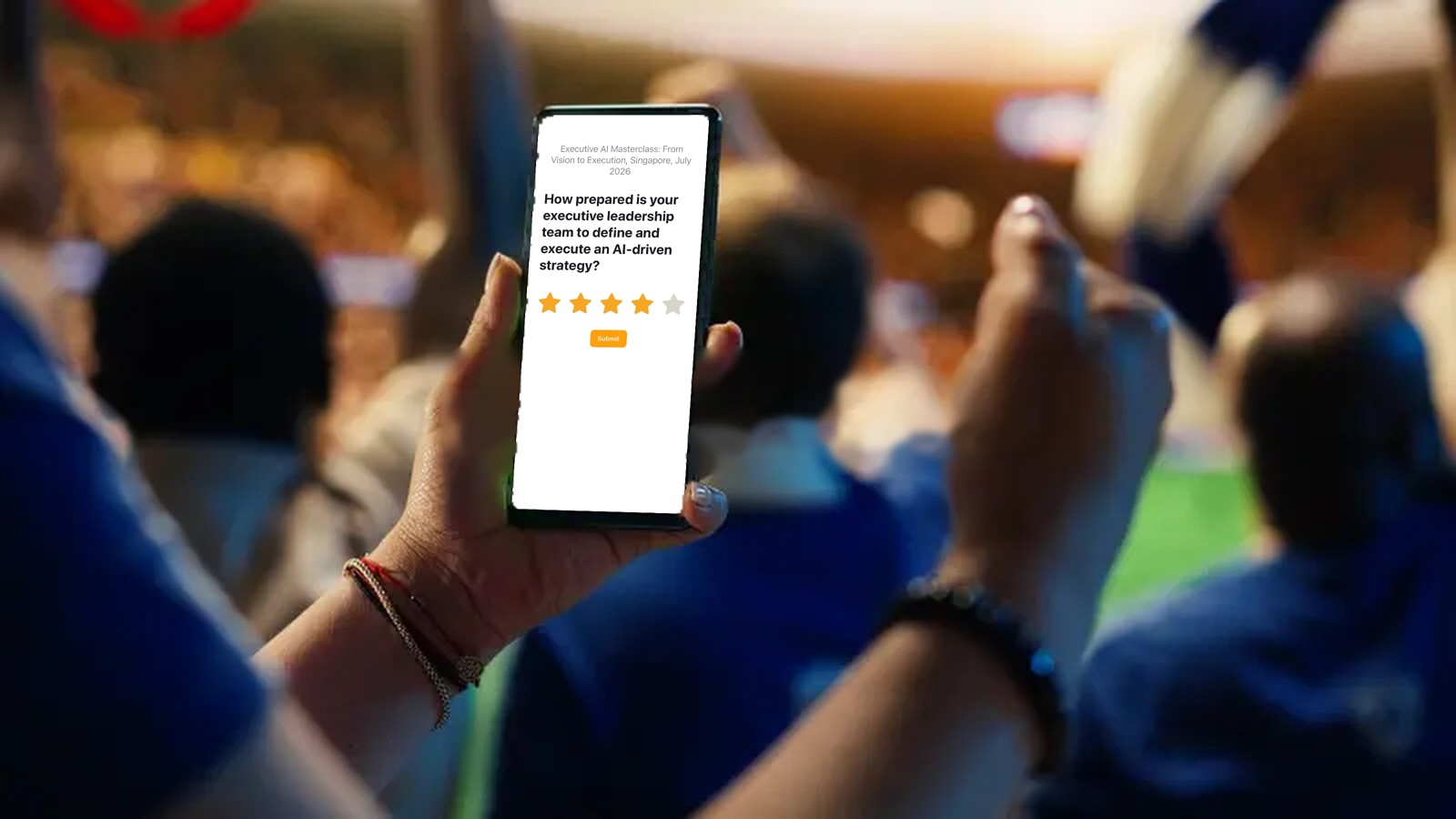
What will you run?
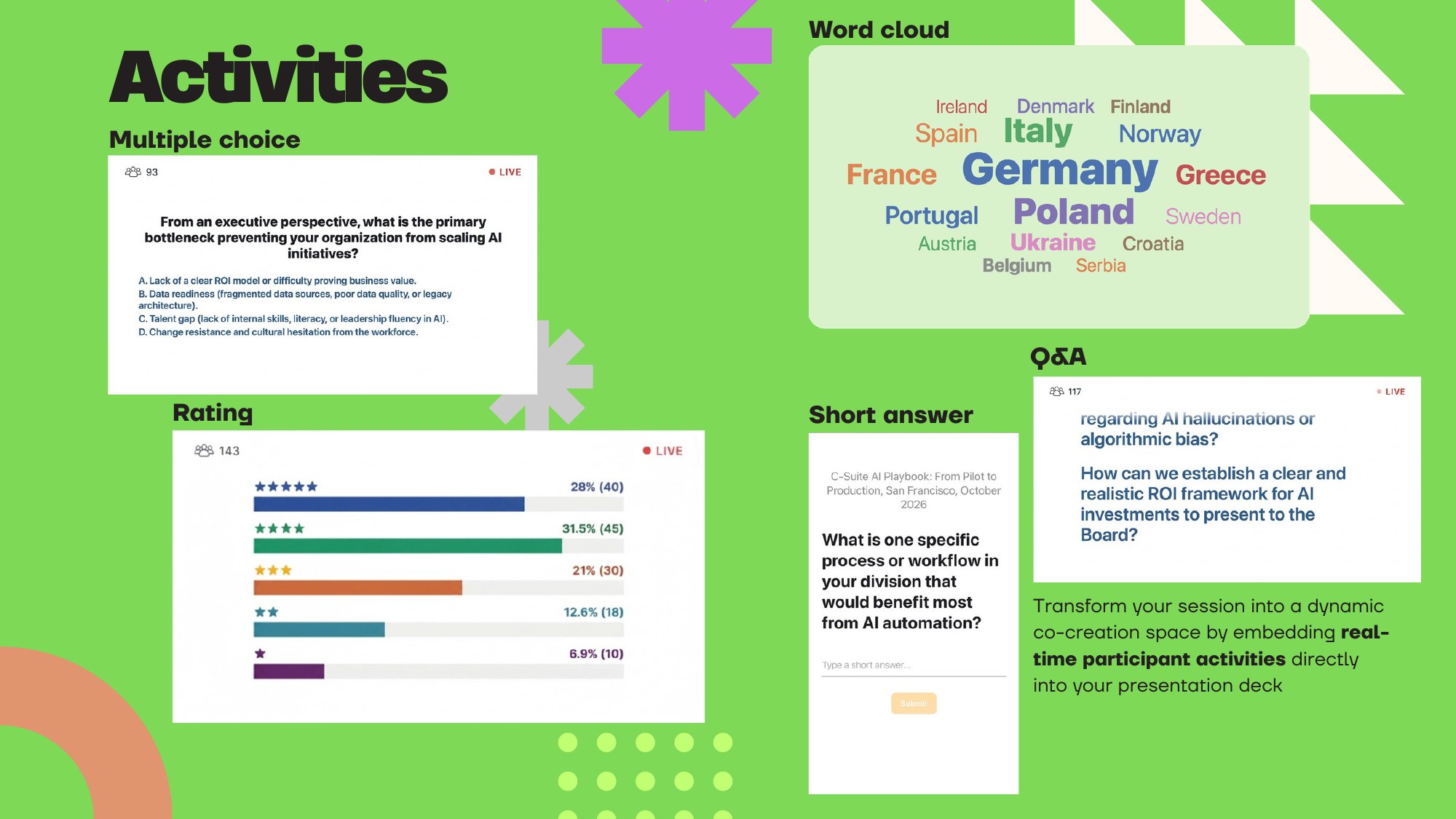
Add activities straight onto your slides and run them live.
Corporate workshops
Gauge how ready your team is with ratings, gather ideas in a word cloud, and keep sensitive answers on your own laptop.
Start free trialLectures & Seminars
Run quick quizzes with multiple choice and let students send questions through Q&A, even when the venue’s internet is unreliable.
See how it worksTown halls & Large Meetings
Collect questions with Q&A, where every participant gets one vote per question, and read the room with ratings. Up to 300 participants.
Contact usBeautiful on the big screen. Simple on every phone.
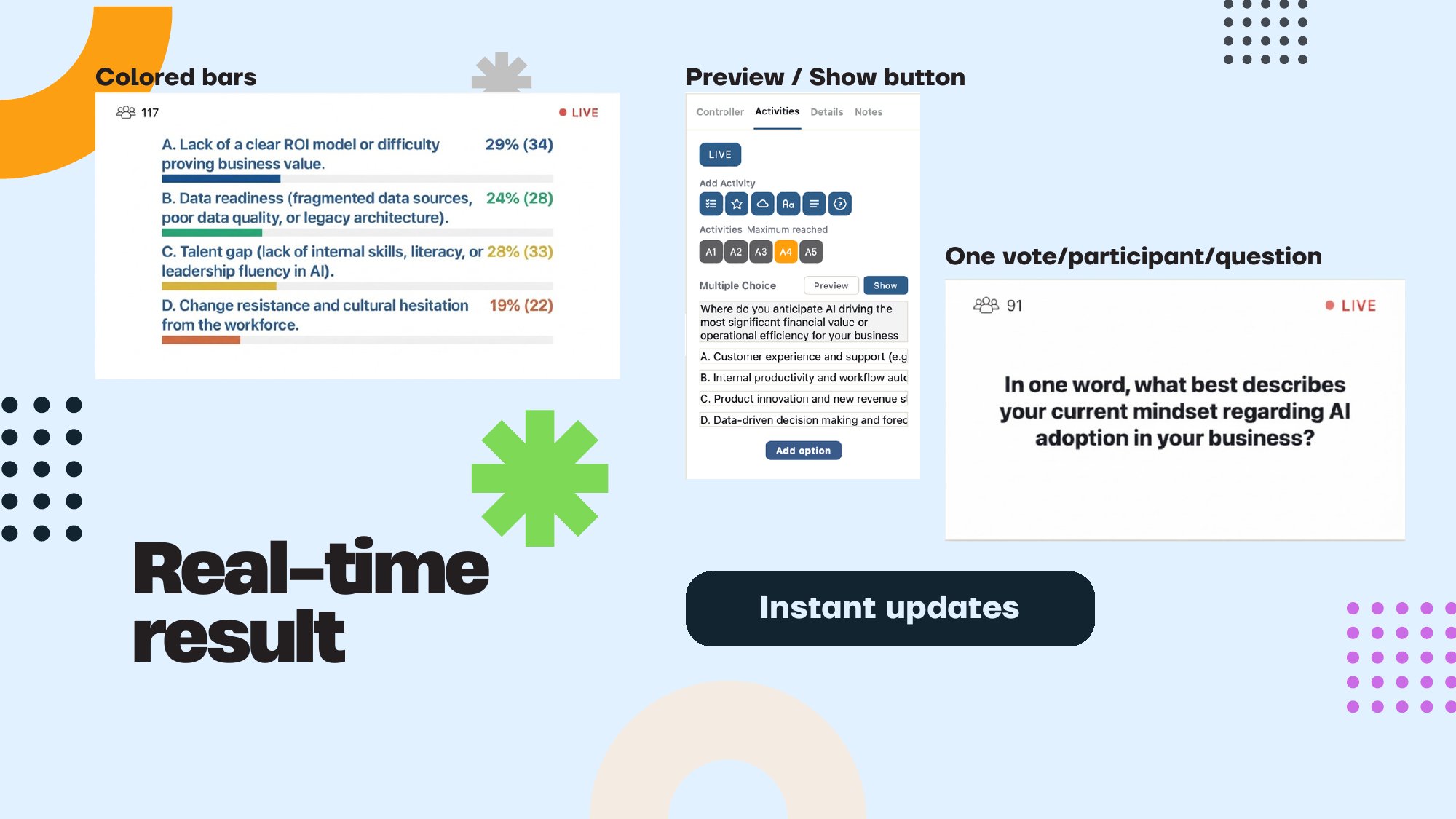
Bars and word clouds update the moment people answer, and the projector view mirrors every change you make in the editor.
Six activity types
Multiple choice, rating, word cloud, short text, long text, and Q&A. Add them straight onto your slides.
Real-time results
Colored bars, word clouds, and instant updates on the big screen as people answer.
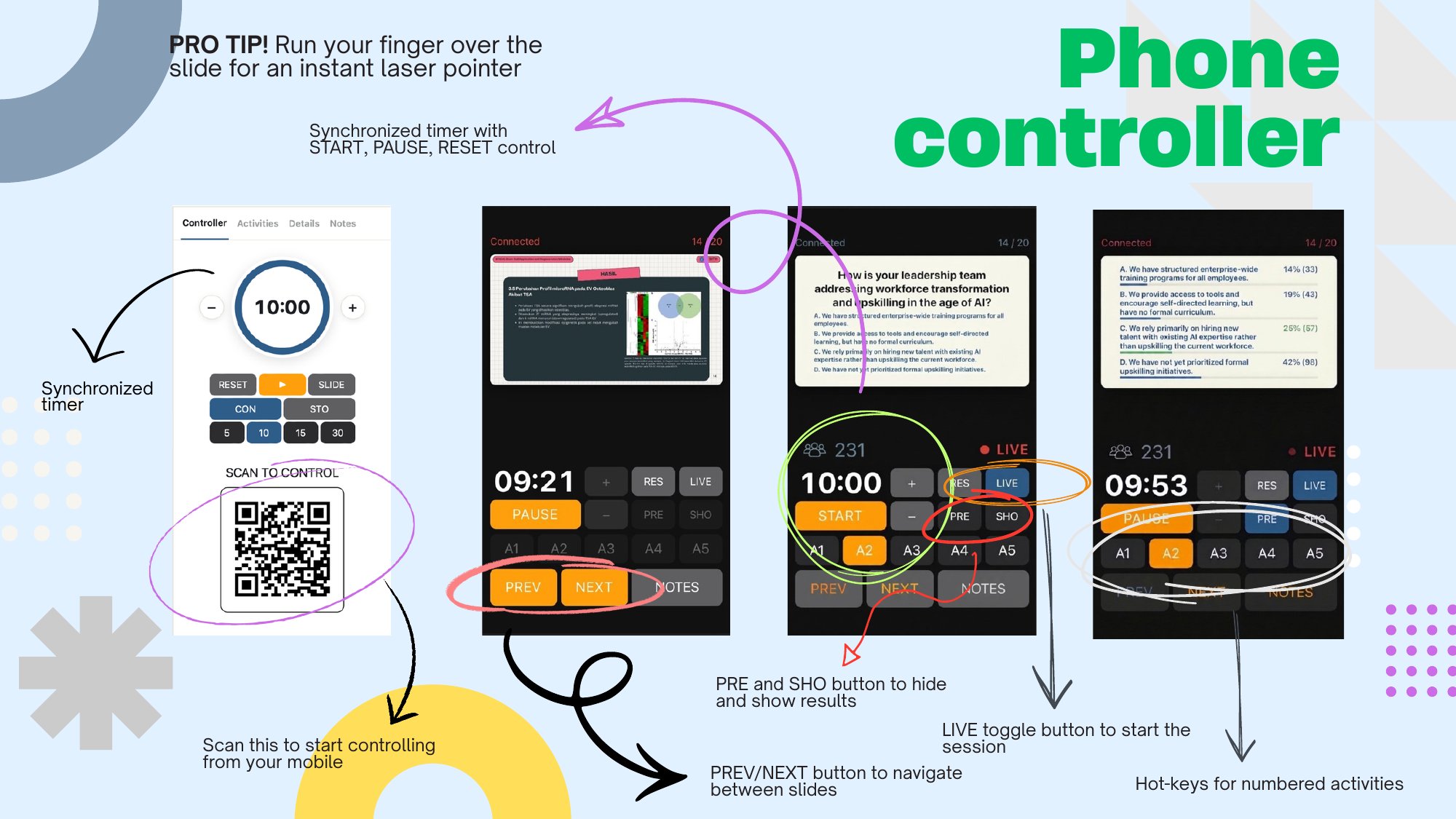
Phone controller
Navigate slides, run a synchronized timer, show or hide results, and use the laser pointer from your phone.
Join by QR code
Participants scan and answer in their phone browser, with automatic reconnection. One vote per participant per question.
Layout on the slide
Resize and reposition question boxes, options, and QR codes. The projector view mirrors every change.
Notes, autosave, and export
Per-slide presenter notes with autosave, and one-click export of all session records to Excel (.xlsx).
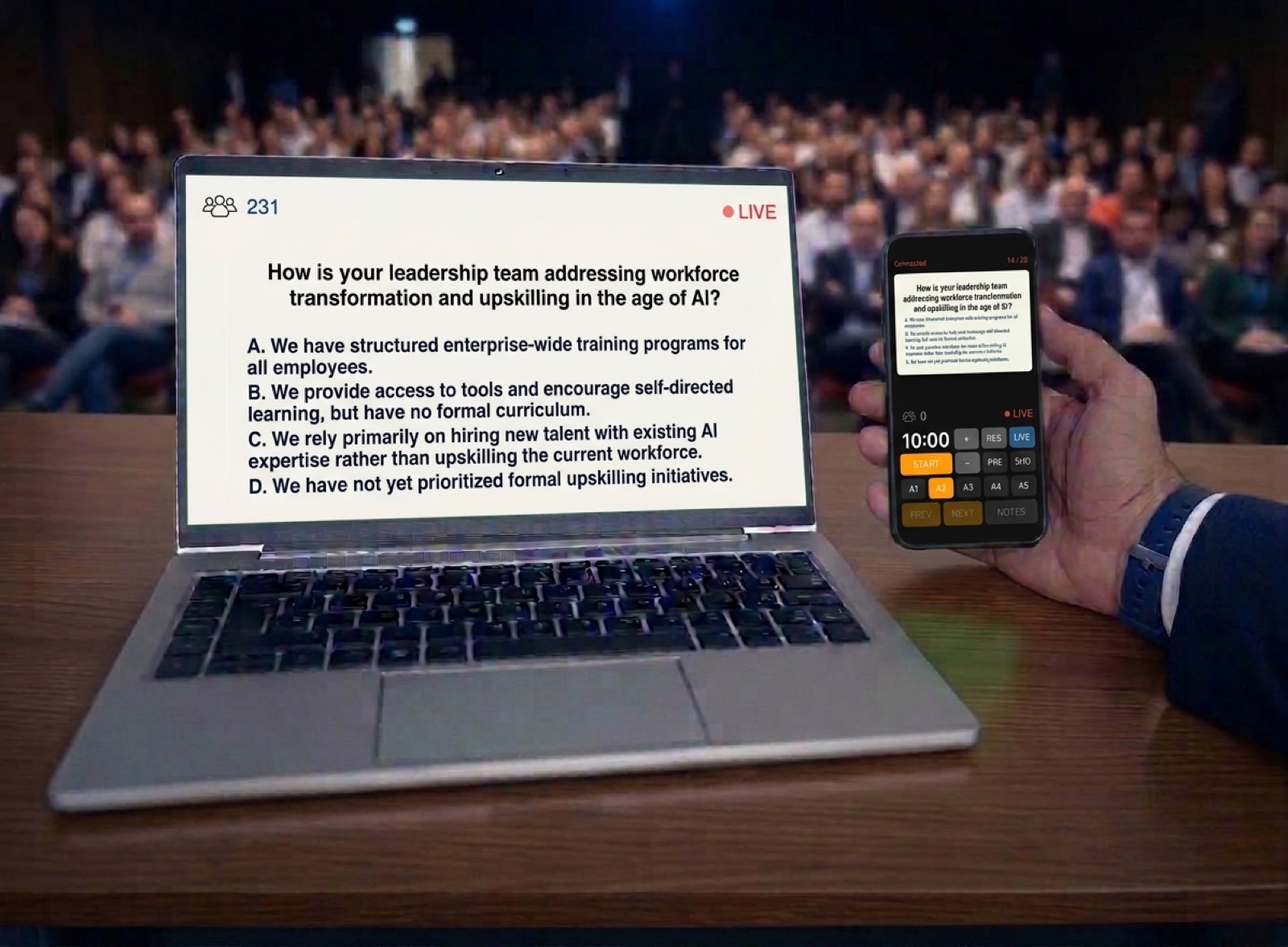
Your phone is the remote.
Scan a second QR code and run the whole session from your phone, so you can walk the room instead of standing at the laptop.
- See the current slide and move with Prev and Next
- Pick activities A1 to A5, then preview, go live, or show results
- Run a synchronized countdown timer
- Read your presenter notes
- Run your finger over the slide for an instant laser pointer
Three steps to go live.
1. Open your PDF
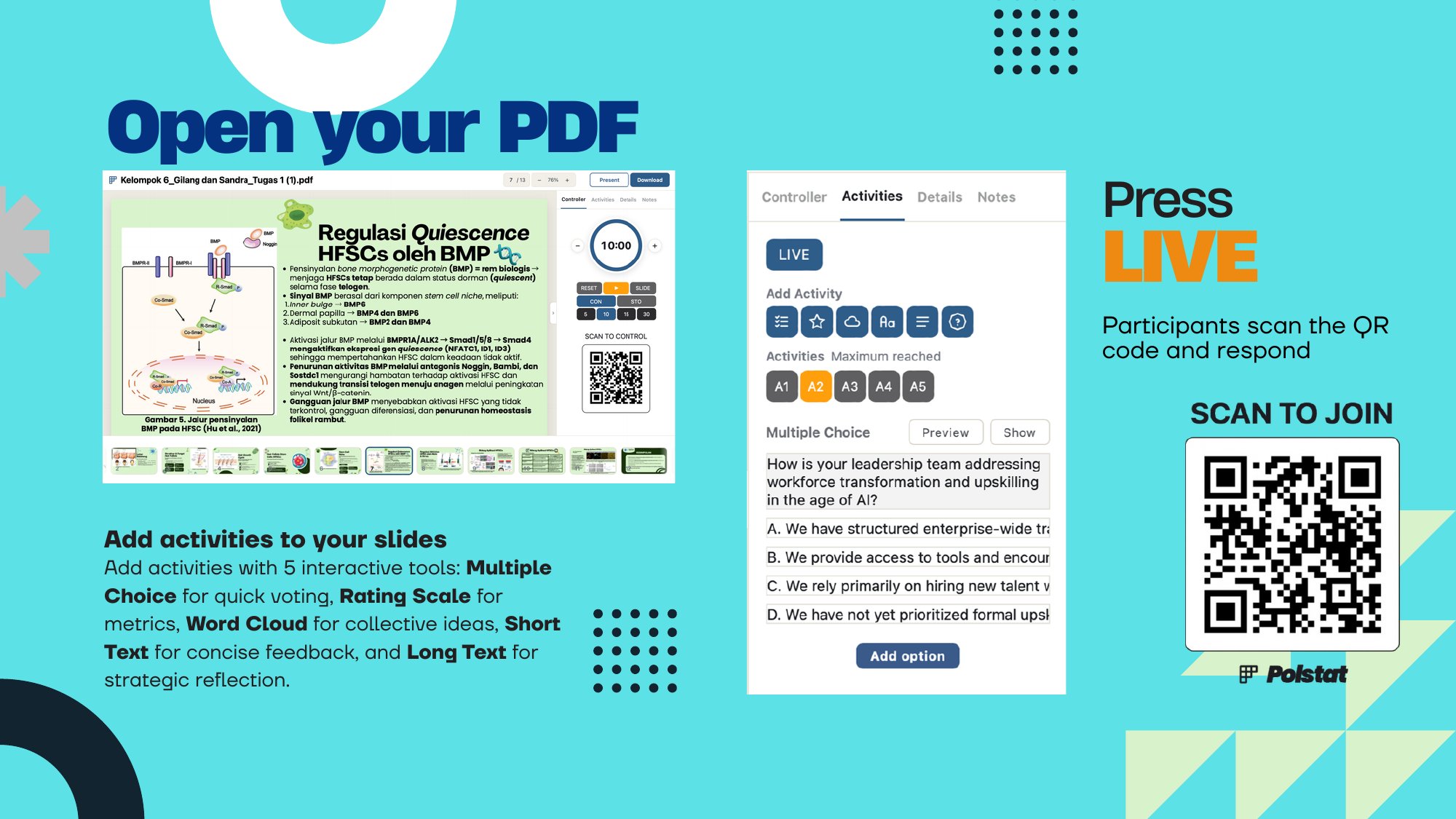
Add activities to your slides with five interactive tools.
2. Press LIVE
Participants scan the QR code and respond.
3. Show the results
Results appear on screen in real time.
“Everything runs on your laptop. No accounts, no cloud, no internet.”
Choose your plan
Start free for 30 days, then pay yearly or once. Activate offline with a local license key.
- 30 days
- Up to 50 participants
- All six activities
- Export to Excel
- Up to 300 participants
- Offline license activation
- All updates for one year
- Everything in the trial
- Pay once, no renewals
- Updates for all v1.x releases
- Up to 300 participants
Frequently asked questions
Does Polstat need internet?
No. Polstat runs as a desktop app on your laptop, and participants connect over your local Wi-Fi or a hotspot.
Do participants install anything?
No. They scan the QR code and answer in their phone browser, with automatic reconnection.
How many participants can join?
Up to 50 on the trial and up to 300 on the paid version. Actual performance depends on network quality.
Where is my data stored?
PDFs, votes, notes, and participant data stay on the presenter’s laptop, without cloud reliance or external accounts.
Can I export the results?
Yes. You can export all session records directly to Excel (.xlsx).
Which platforms are supported?
Native installers for macOS (Apple Silicon) and Windows. The Windows version is currently in beta.
How does licensing work?
You get a 30-day trial, then choose annual ($79 per year) or lifetime ($299, one-time). Activate offline with a local license key.
Go ahead.
Run your first live session.